

Pair programming as it should be.
Not as it has been.
14 days free trial. Cancel anytime.

Code
File
Edit
View
Go
Window
Help

Sun, Aug 16, 2026, 2:44 PM
shadcn-ui/components/code-tabs.tsx
 1
 2
 3
 4
 5
 6
 7
 8
 9
10
11
12
13
14
15
16
17
18
19
20
21
22
23
24
25
26
"use client"

import * as React from "react"

import { useConfig } from "@/hooks/use-config"
import { Tabs } from "@/registry/new-york-v4/ui/tabs"

export function CodeTabs({ children }: React.ComponentProps<typeof Tabs>) {
  const [config, setConfig] = useConfig()

  const installationType = React.useMemo(() => {
    return config.installationType
  }, [config])

  return (
    <Tabs
      value={installationType}
      onValueChange={(value) => setConfig({ ...config, installationType: value as "cli" | "manual" })}
      className="relative mt-6"
    >
      {children}
    </Tabs>
  )
}

Our stargazers work at










Remote pairing, perfected
Finally, a tool that gets out of your way.
Stop fighting with generic meeting tools that weren't built for developers. Hopp is designed from the ground up for seamless remote pair programming. Start a session in a single click and get into your flow state, together.
Start sharing in one click
Share any app, not just your browser tab
Built for teams, not 1:1 meetings
Better screensharing. Period.
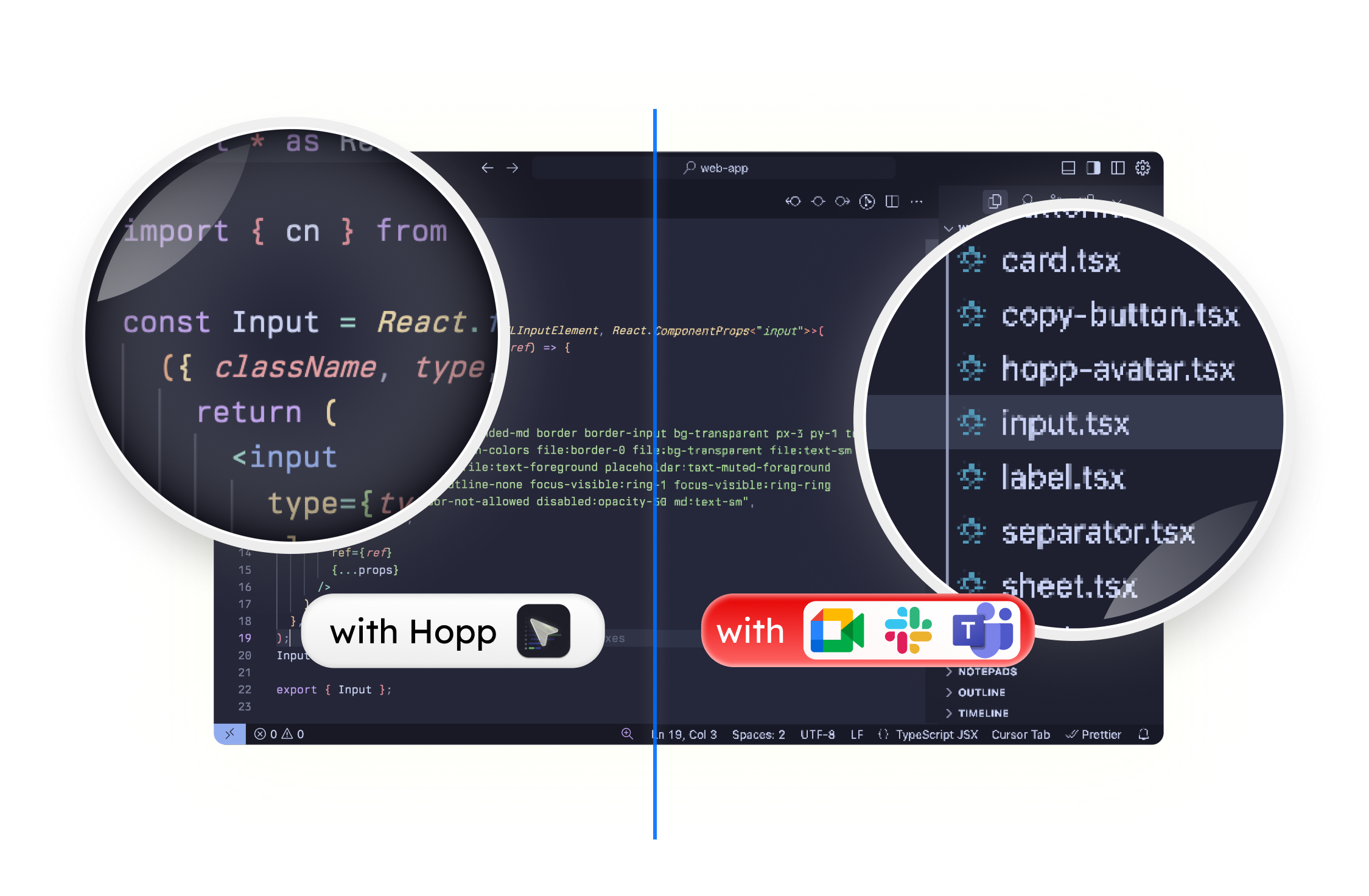
Meant for pairing
Features that will help you pair better
Multiplayer by default
Work faster with shared cursors & drawing. You can invite up to 10 people in a room at the same time.
Shared control
Clicking & typing into your teammates' computer, with sub-100ms latency.
Power user empowerment
Stay in the flow with custom keyboard shortcuts. Or use our Slack integration for faster calls.
Screen annotations
In a matter of seconds draw or type on a shared screen to draw attention to something or emphasize a point.
Crystal clear screensharing
We are obsessed with low-latency & razor sharp screen-sharing. By default we allow you to stream in 4K.
Amazing audio quality
Pairing is video & audio. Enjoy podcast like audio quality with our active noise-cancelling.
❤️ Loved by the best developers
Testimonials

Since trying Hopp as an early user, I've been impressed by how smooth the pairing experience is. The screen sharing is crisp and responsive, making remote collaboration feel effortless in a way other tools haven't quite achieved.
From day one as Hopp's first user, I've been impressed by the team's responsiveness and commitment to user-focused improvements. The screen pairing quality is unmatched and crystal clear, far better than any alternative. It's rare to see such a polished product launch, and I genuinely recommend it.

As we do pair programming a lot and had very bad experiences with other "standard" tools regarding lagging and screen sharing quality, Hopp really rescued us. Fast, reliable, superb quality without any lags.

P.S. Hopp is brilliant and we absolutely love it 😊

Your app is awesome!

Pricing
Unlimited calls. Simple per-user pricing.
Start with a 14-day free trial. After that, Hopp Cloud is $15 per user each month. Cancel anytime with one click.
- <1 day support guarantee
- Social auth with Google and GitHub
- Support the only low-latency OSS screen sharing app
Hopp Private Cloud
Your own private Hopp, managed by us.
Get a dedicated, single-tenant Hopp deployment without operating it yourself. We handle setup, upgrades, backups, monitoring, and direct support.
Talk to usOne more thing... Hopp is open source and 100% free to run yourself.
If you'd prefer not to pay us, or you want to customize Hopp for your own use, you can run it yourself. Have a great idea? Submit a PR to contribute to the code base and improve the product for everyone.
View sourceFrequently asked questions
Frequently asked questions
Can't find what you're looking for? Drop us a note and we'll get back to you.
What is Hopp?
If you've ever been frustrated by Slack Huddles, Google Meet, or Microsoft Teams when pairing, Hopp is built for you.
Hopp is a next-gen screen-sharing tool for programmers that lets you pair as if you're on the same machine—no matter where you are. Both participants get full keyboard and mouse control, making real-time collaboration seamless.
Why are we building Hopp?
There isn't a high-quality, open-source remote pairing tool that meets the needs of developers.
Existing tools like Tuple are excellent but closed-source, limiting flexibility and community-driven innovation.
What platforms does Hopp support?
Hopp currently supports macOS and Windows. Linux support will follow, with Ubuntu as our initial focus.
Who's building Hopp?
When will Hopp be open source?
Hopp is already open-source! Feel free to contribute to the project on GitHub.
I don't have a pair, but I'd love to try Hopp.
No worries! Sign up and drop us a note. We'd love to pair with you while building Hopp—it'll be fun! 🫡
How does Hopp achieve low latency?
We fine-tuned libwebrtc for ultra-low latency and built on LiveKit's network for unmatched speed and reliability.
Can I self-host Hopp?
Yes! You'll be able to self-host or use your own LiveKit keys (BYOK) to reduce costs and customize your experience.
What makes Hopp different from other tools?
Hopp is built specifically for developers, focusing on ultra-low latency, full keyboard and mouse control, and an open-source approach that gives you complete control over your pairing experience.
Get started
Try Hopp with your team
Free for 2 weeks. Set up in 2 minutes. The best screensharing calls without compromise are right here.
FEATURED ON


