

Contents#
2025 in a nutshell#
This time a year ago, Hopp was a barely working prototype. We had just implemented basic remote control and were still fine-tuning our keyboard implementation. Since then, we've come a long way.
Before we dive into our plans for 2026, let's recap the milestones that defined 2025 for us:
- 55 releases pushed to production.
- 600+ hours of collaborative sessions in the last 4 months.
- 8 external contributors joined the project.
- 430+ GitHub stars (and counting!).
Here's a look at the most significant features and improvements we launched this year:
Fine-tuning WebRTC for sub-100ms latency#
At the start of 2025, we were using an out-of-the-box LiveKit configuration for screen sharing. While the latency was adequate for general use, it wasn't quite "real-time" enough for the high-intensity flow of remote pair programming.
We spent months deep-diving into video codecs and managed to bring end-to-end latency down to around 100ms. More recently, based on community feedback, we refined our configuration even further, consistently achieving sub-100ms latency.
Full remote control & multi-participant support#
Hopp is built for remote pair programming, which means we want to allow users to seamlessly take control of each other's computers. Typing works out of the box, with keyboard input transmitted directly to the remote machine with zero friction.
This year, we also expanded this capability to support multiple participants, making "mob programming" sessions possible.
Persistent Rooms and Browser Support#
One of our biggest updates was taking Rooms out of beta. We moved beyond temporary sessions to Persistent Rooms, allowing teams to create dedicated collaboration spaces like "Standup," "On-Call," or "Mob Squad 1" that are always ready for participants to join.
To make Hopp more accessible, we added the ability to join directly from the browser. This was a particularly important update for our Linux community (who don't have a dedicated desktop app yet), as it allows anyone to jump into a room without any installation.

Click animation#
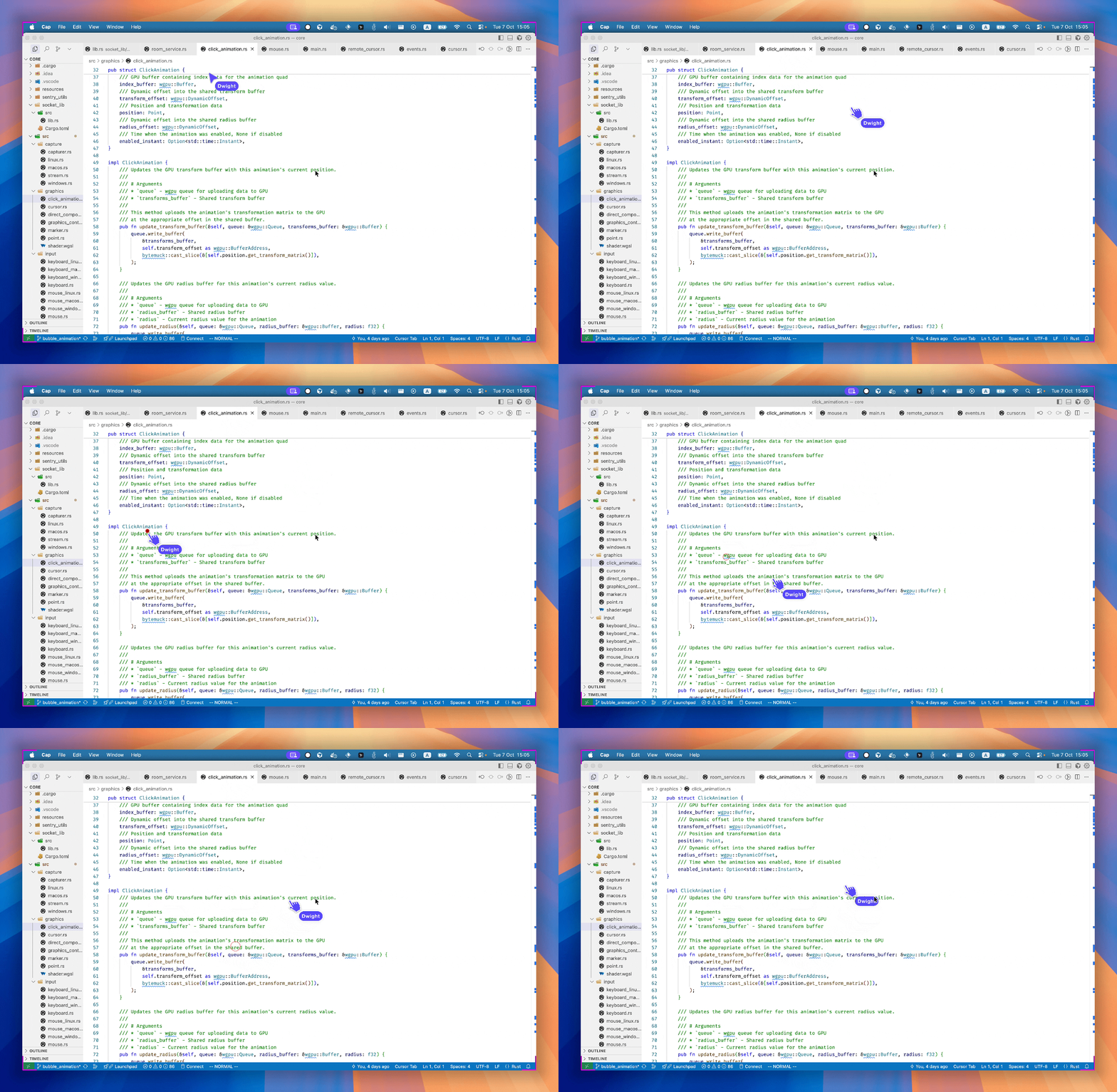
To improve the feeling of "pointing" at things during a session, we added a click animation. Now, when a remote participant clicks while remote control is disabled, an indication appears on the host's screen, making it much easier to follow along during a walkthrough.
Clipboard sharing#
Productivity is about flow. With Hopp, you can copy text or code from your local computer and share it directly to the remote participant when you are controlling their computer.
High-quality camera support#
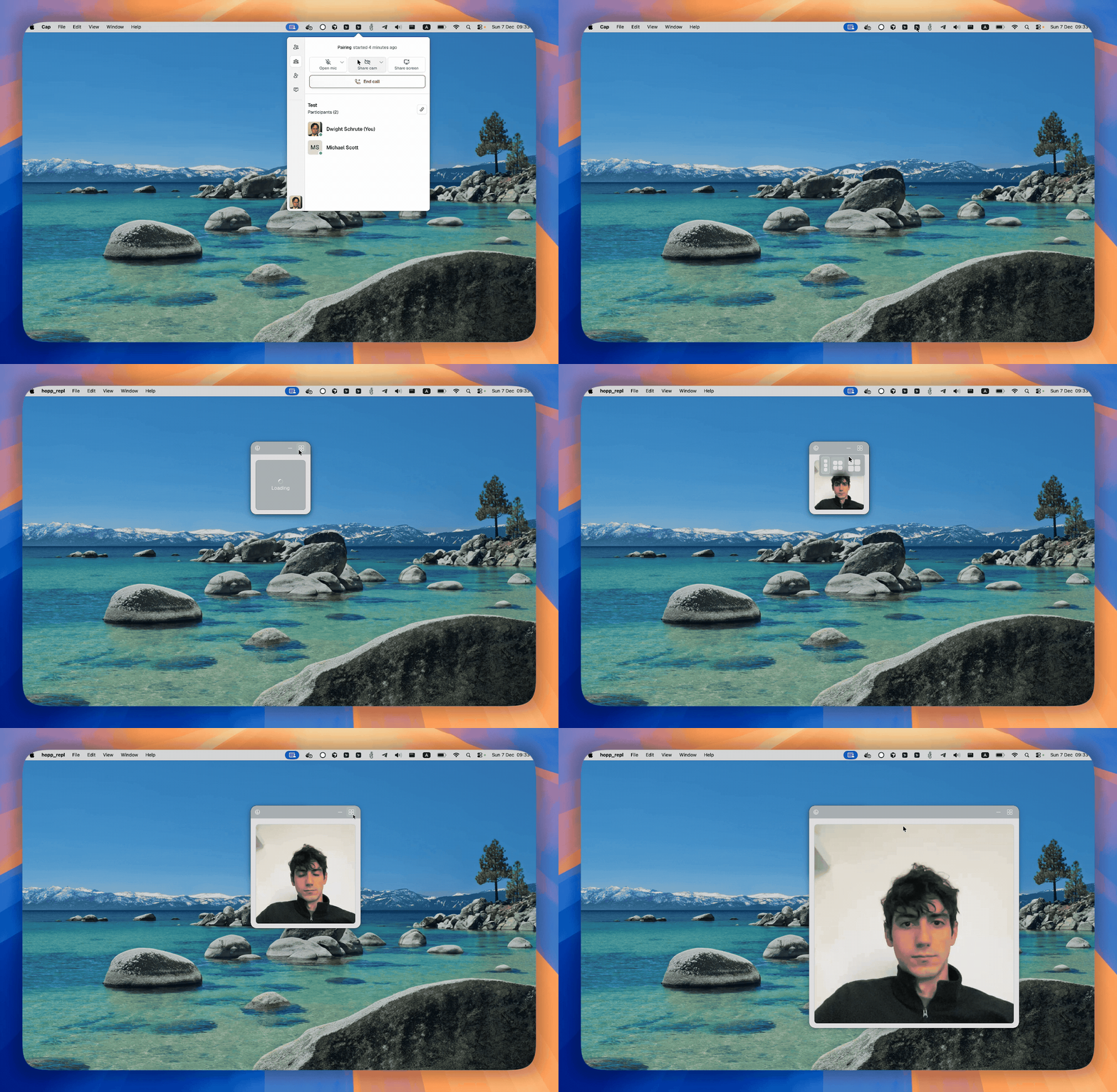
We added camera support in September and significantly improved the experience late last year. You can now see your partner in high definition without sacrificing the performance of the screen share.
Open sourcing our codebase#
We started Hopp with the goal of creating an open-source remote pair programming app that rivals proprietary alternatives. In the first half of the year, we kept our source code closed while we worked to ensure the quality met our standards. In August, after a dedicated month of polishing and bug-fixing, we officially made our open-source release.
Looking ahead to 2026#
2025 was about building the foundation and proving that high-performance remote pair programming is possible. In 2026, we're shifting our focus to making Hopp the most frictionless way for teams to work together.
We are planning to release our roadmap for this year later this month, where we will describe our plans and how we think we can make remote pair programming more enjoyable!